

Tracking Method
Tracking Method is set to Browser + Server by default, and this is the recommended way to run Pinterest: Upstack loads the Pinterest tag on your storefront and also sends events server-side, and the two copies are deduplicated. If you don’t want to load the Pinterest tag in the browser, switch the Tracking Method to Server. See Tracking Method.
Prerequisites
Before you start, you need:- An active Upstack Data account (sign up)
- Admin access to your Pinterest Business account
- Your Pinterest Pixel Tag ID (how to find it)
- Your Pinterest Advertiser ID (how to find it)
- Your Pinterest Conversion API key (how to generate it)
Configuration Steps
1
Sign in to your Upstack dashboard
Sign in to Upstack Data and open the Events Destination page.
2
Add a new Pinterest destination
In the Events Destination page, click + New Destination in the top-right of the page.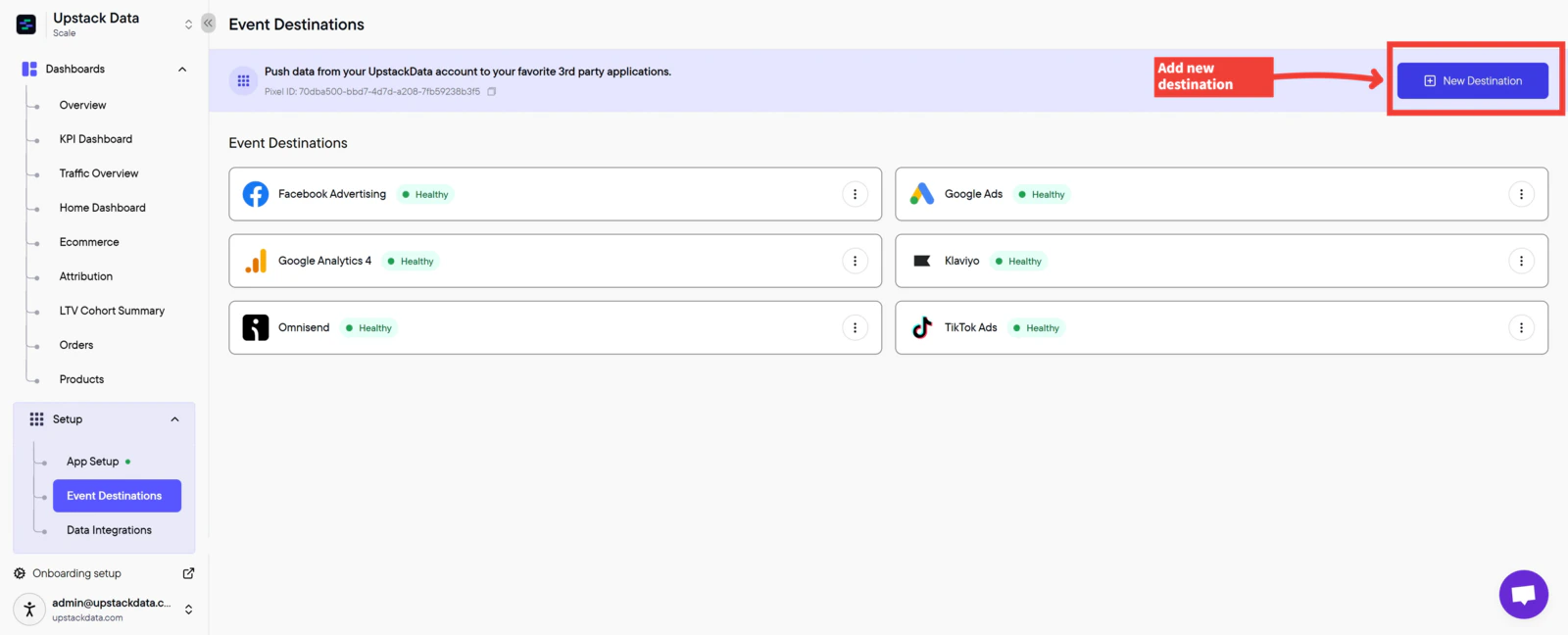
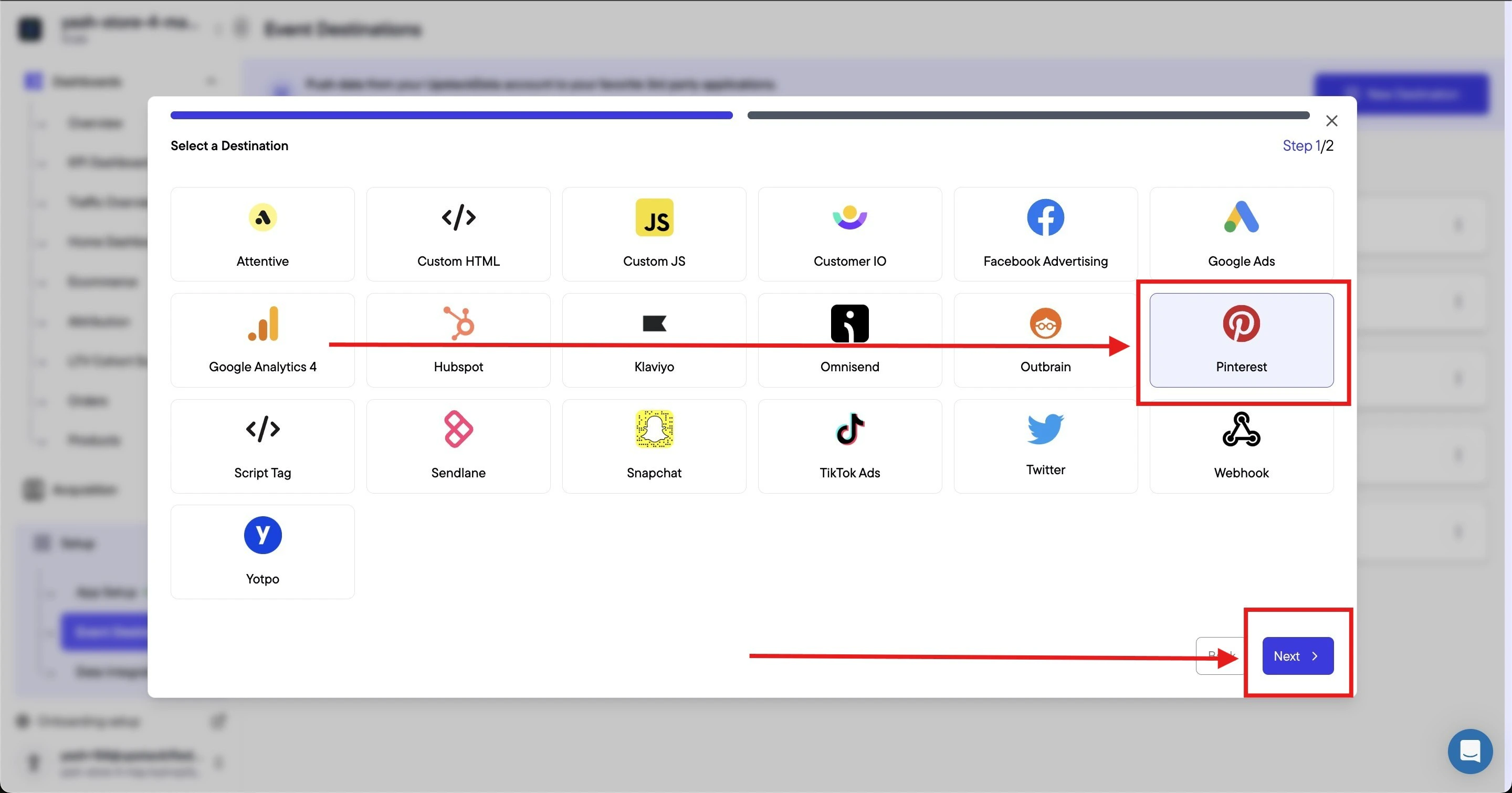
3
Enter your Pinterest credentials
Fill out the form with the following:
-
Pinterest Pixel Tag ID — a 13-digit number, for example
2613000000000 -
Advertiser ID — a 12-digit numeric ID, for example
549000000000 -
Conversion API key — the access token starting with
pina_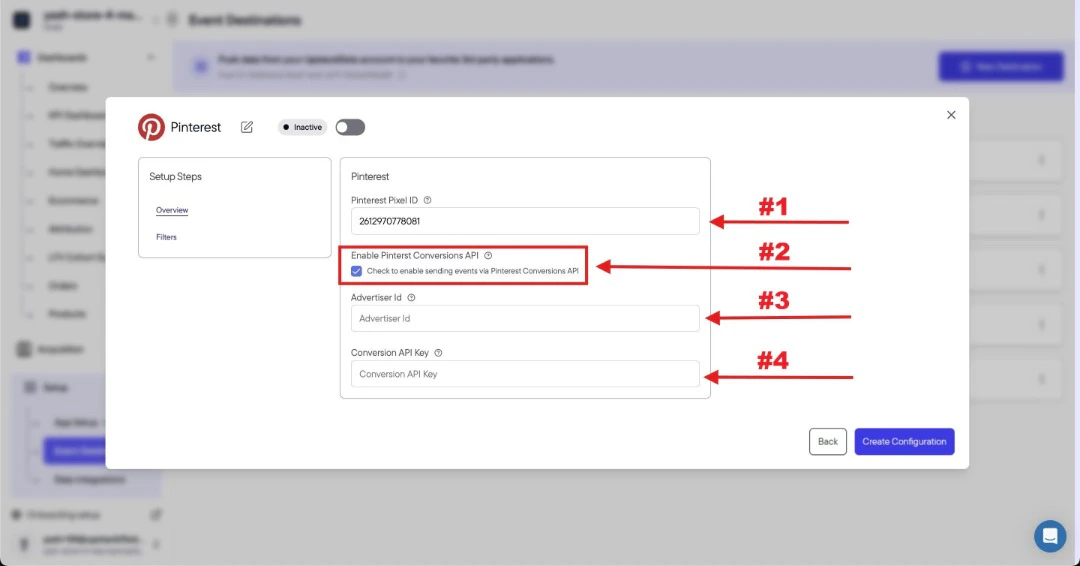
4
Create the configuration
Click the Create Configuration button at the bottom of the form.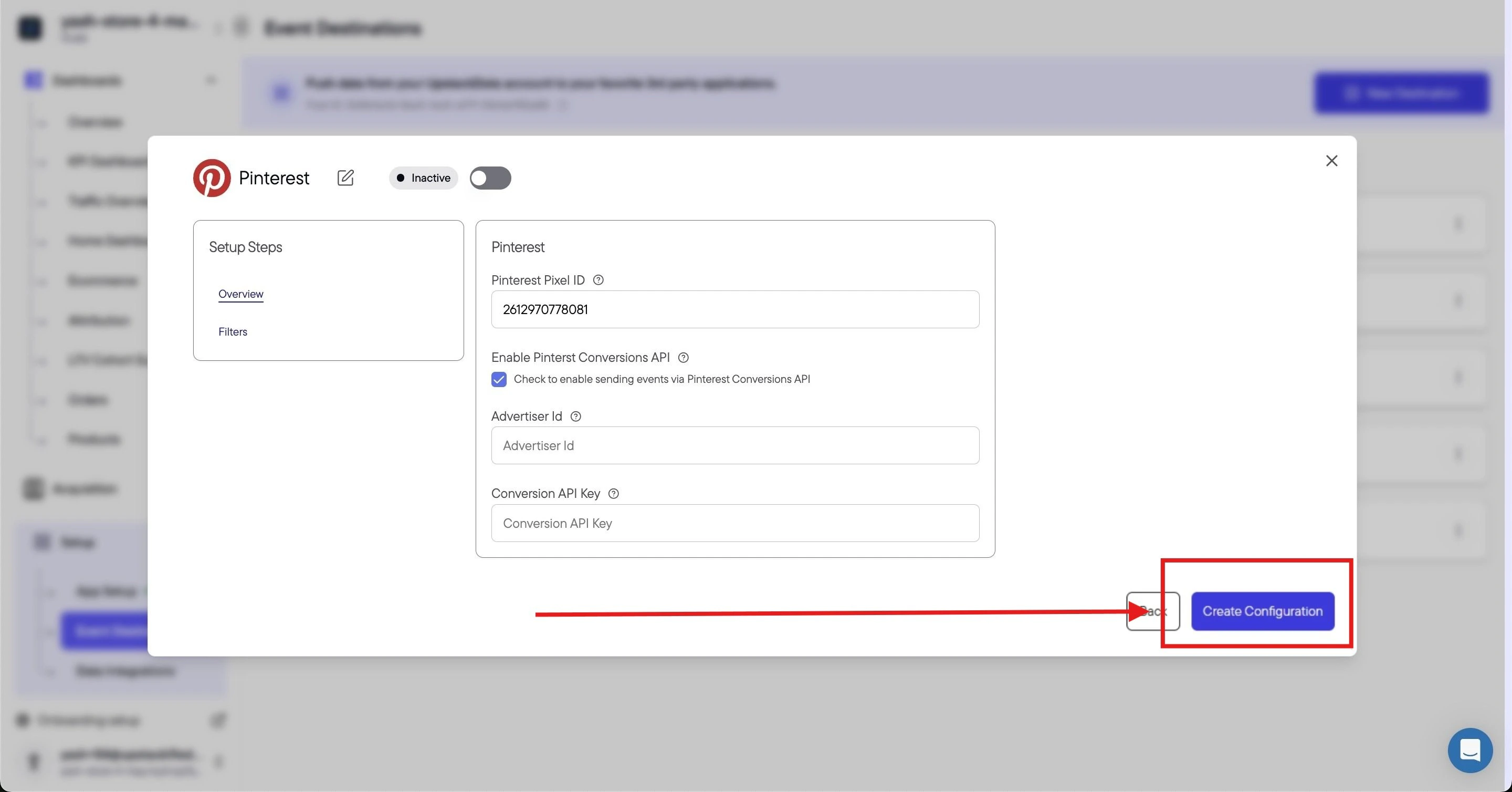
Success! 🎉 You should see a confirmation message and the Pinterest destination will appear as Healthy in your destinations list.
5
Verify the destination is sending events
Back in the Events Destination page, confirm that the new Pinterest destination shows a Healthy status.Then, in Pinterest Business, open Conversions → Pinterest tag and confirm that events are being received from your Conversions API integration. New events typically appear within a few minutes after a test purchase or page view.