

What is an Omnisend API key?
An Omnisend API key is a unique credential generated in your Omnisend account that allows Upstack Data to securely access and interact with your Omnisend data. It is a long alphanumeric string, typically structured as a 64-character secret followed by a
- and a short identifier (for example, xxxxxxxxxxxxxxxxxxxxxxxxxxxxxxxxxxxxxxxxxxxxxxxxxxxxxxxxxxxxxxxx-xxxxxxxxxx).Prerequisites
Before you start, you need:- Admin access to your Omnisend account
- Permission to create API keys in Omnisend
- A secure place to store the generated API key (Omnisend only displays it once)
Steps to Generate the API Key
1
Sign in to Omnisend
Sign in to Omnisend to open your dashboard.In the left-hand menu, click Store settings, then go to the API tab.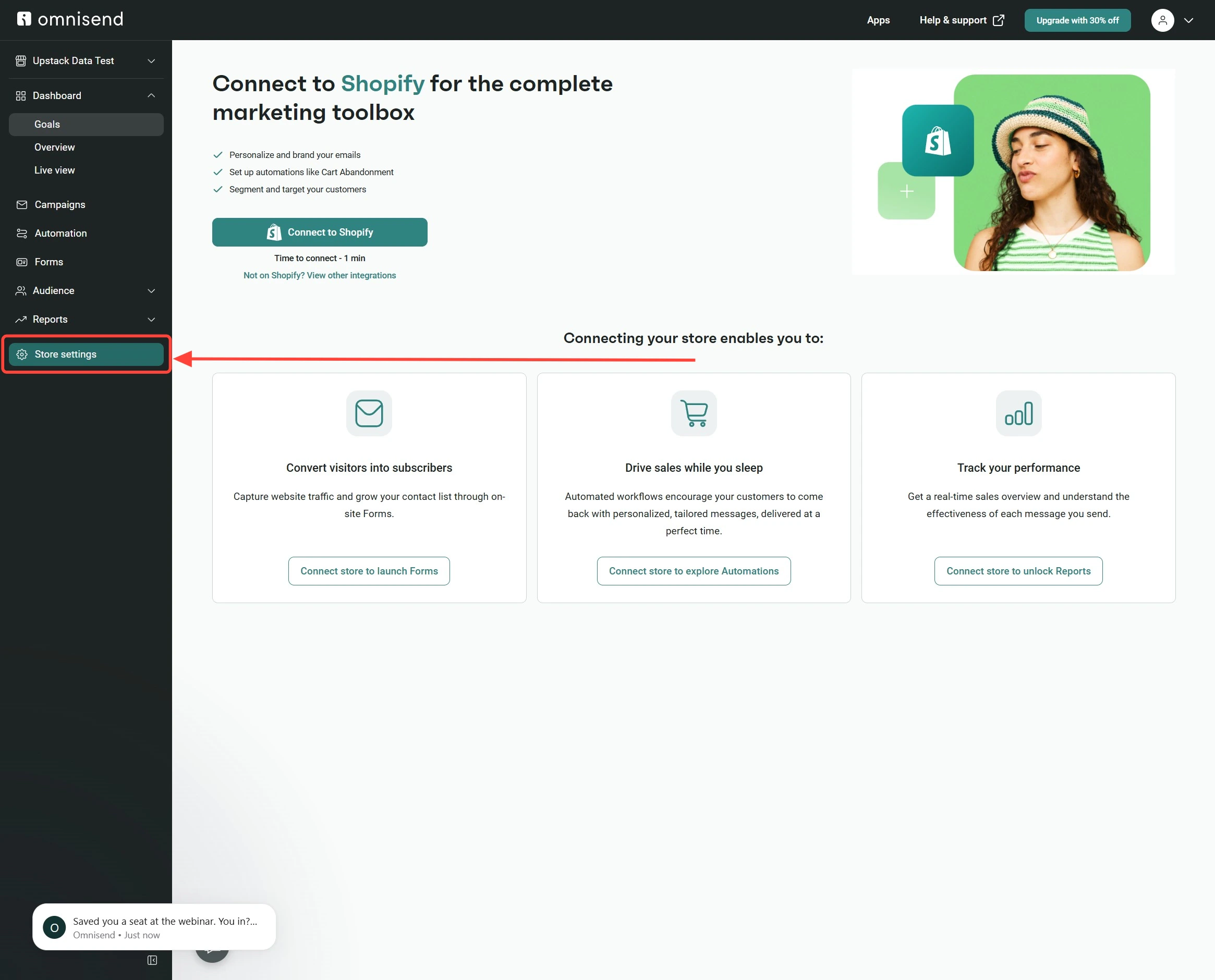
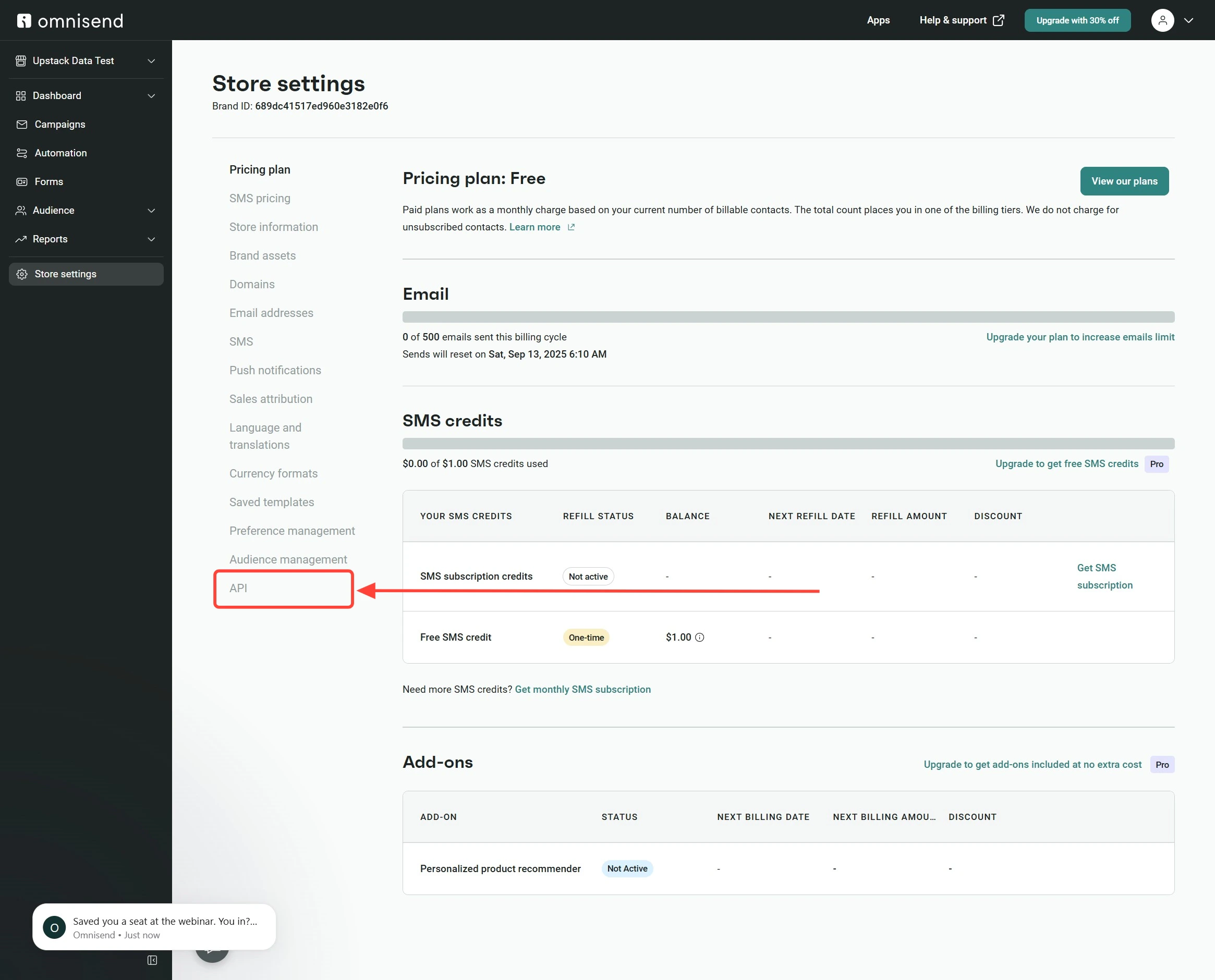
2
Create a new API key
On the API settings page, click the + Create API key button.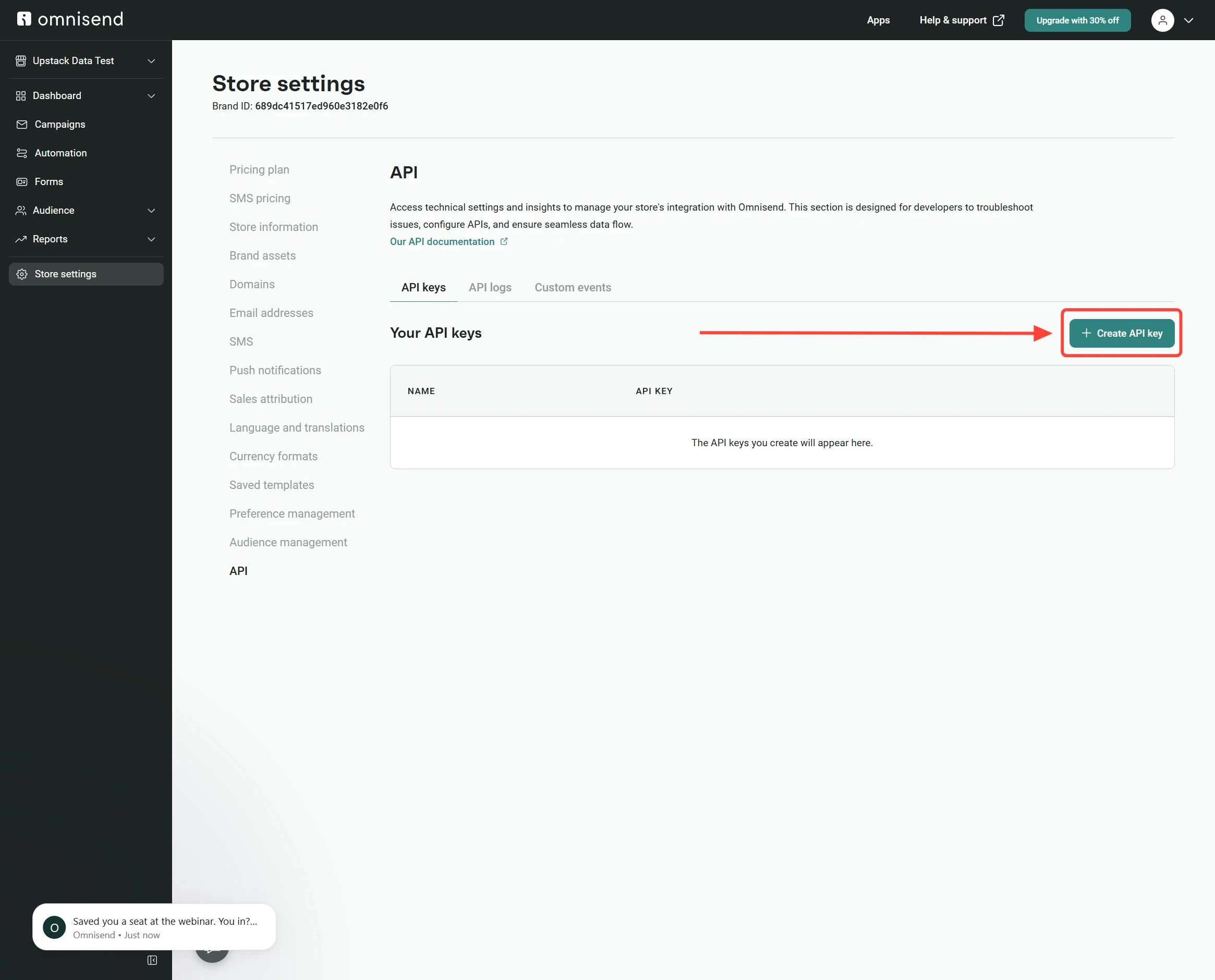
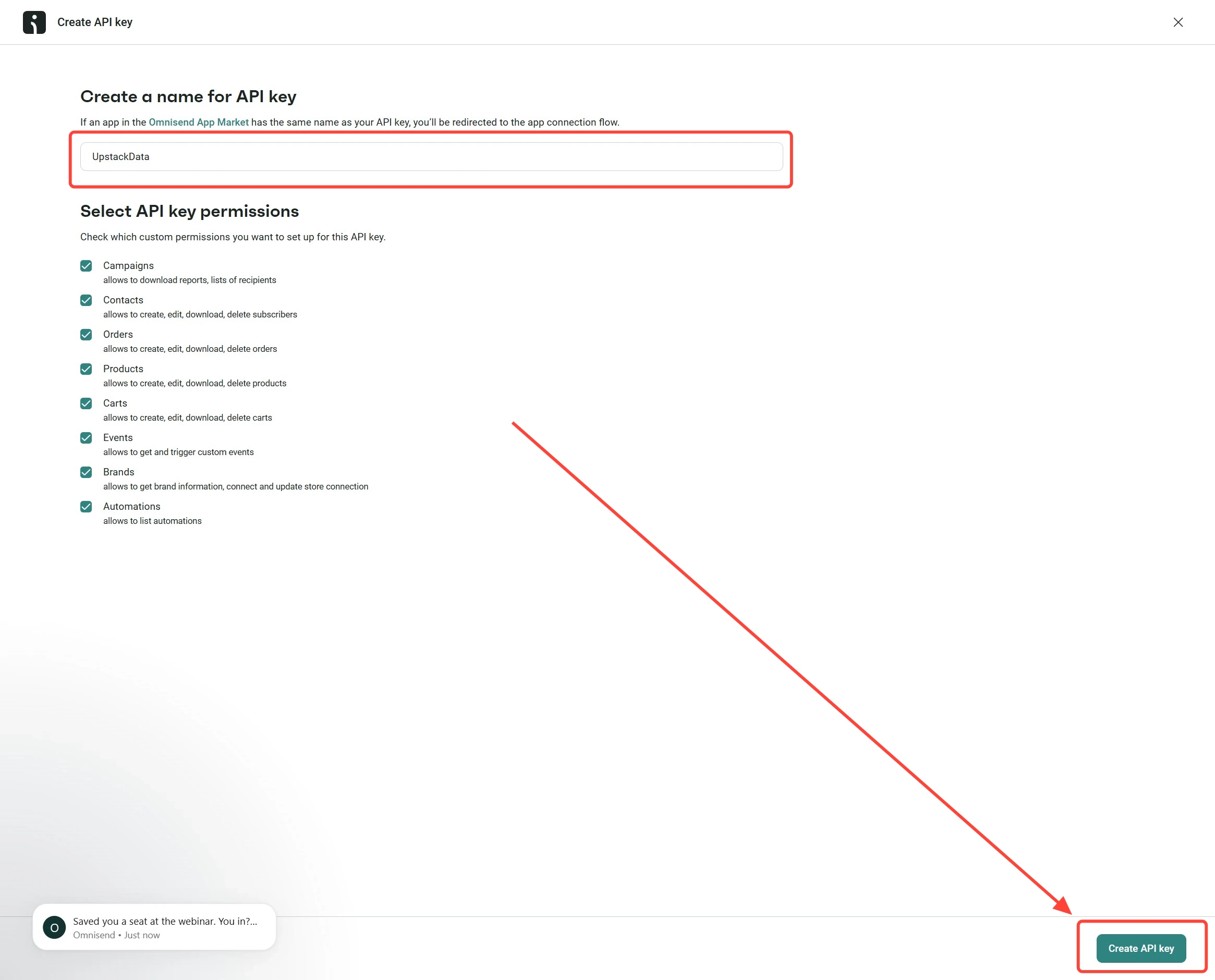
UpstackData as the API key name, then click Create API key.3
Copy and save your API key
Click the Copy API key button to copy the generated API key, then store it securely (for example, in a password manager).Paste the API key into the API key field when configuring the Omnisend destination in your Upstack dashboard.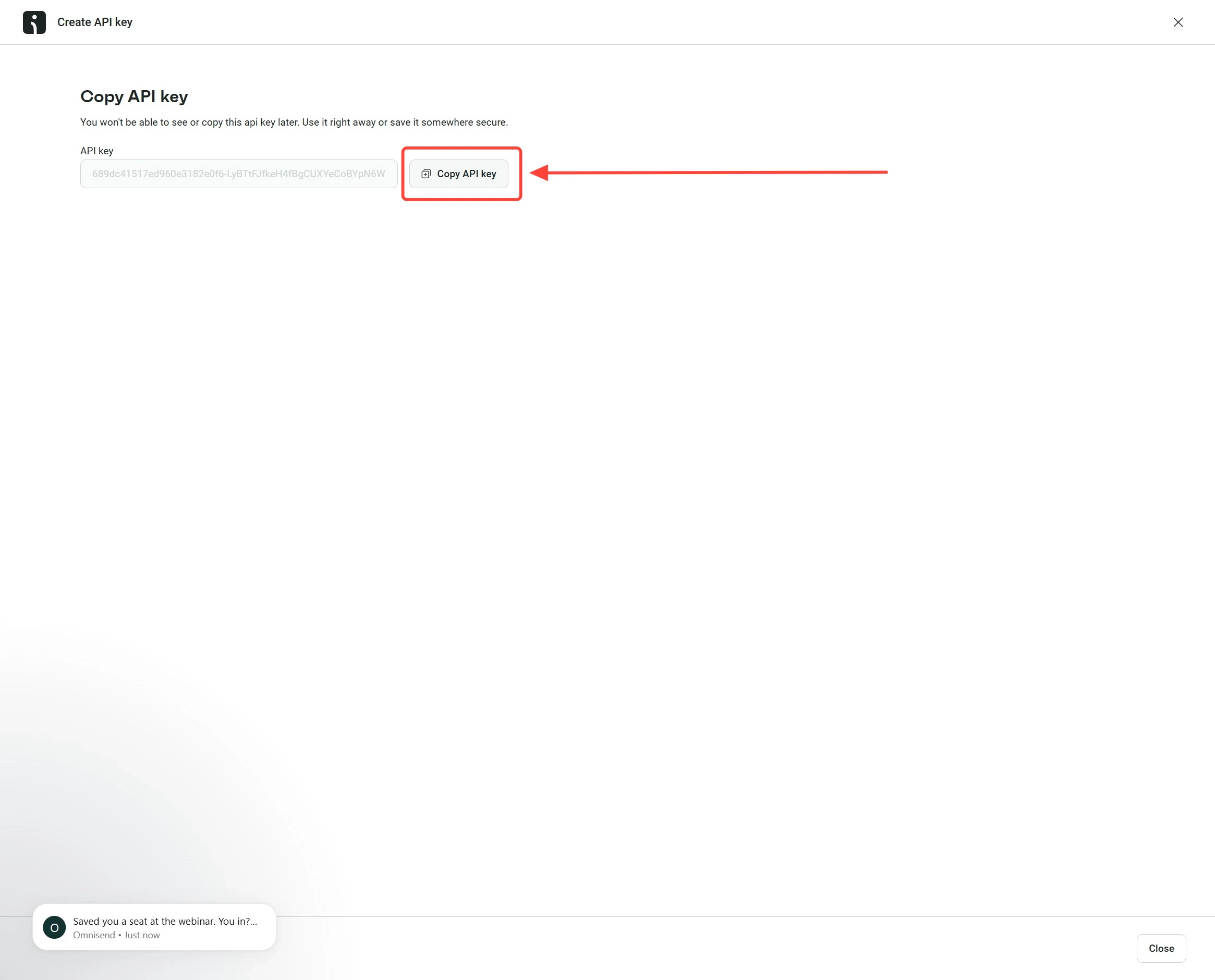
4
Verify the API key format
Confirm the value you copied is a long alphanumeric string with no extra spaces — typically a 64-character secret followed by a
- and a short identifier. You can paste it into the API key field when configuring the Omnisend destination in your Upstack dashboard.Here’s a help guide onHow to Configure Omnisend Pixel Destination in Upstack Data →