> ## Documentation Index
> Fetch the complete documentation index at: https://docs.upstackdata.com/llms.txt
> Use this file to discover all available pages before exploring further.
# Shopify Custom Pixel - Privacy Consent Settings
> Reference for Shopify Custom Pixel consent and privacy settings — how each option maps to Upstack Data event firing rules under GDPR, CCPA, and Shopify's customer privacy API.
## Key points to remember
When configuring the Upstack Data Custom Pixel in Shopify, there are several options which allow for configuring consent mode. These different settings can have a material impact on your tracking, data quality and attribution.
If you are running cookie consent banners, ensuring they are properly configured will ensure the most accurate data. If **Permission: Required** is set, the Custom Pixel will not load or track user behavior until the consent banner is accepted.
**Privacy Regulations vary by jurisdiction.** This does not constitute legal advice. We recommend you consult your legal representative to determine which settings are appropriate for your business.
## Configure privacy settings
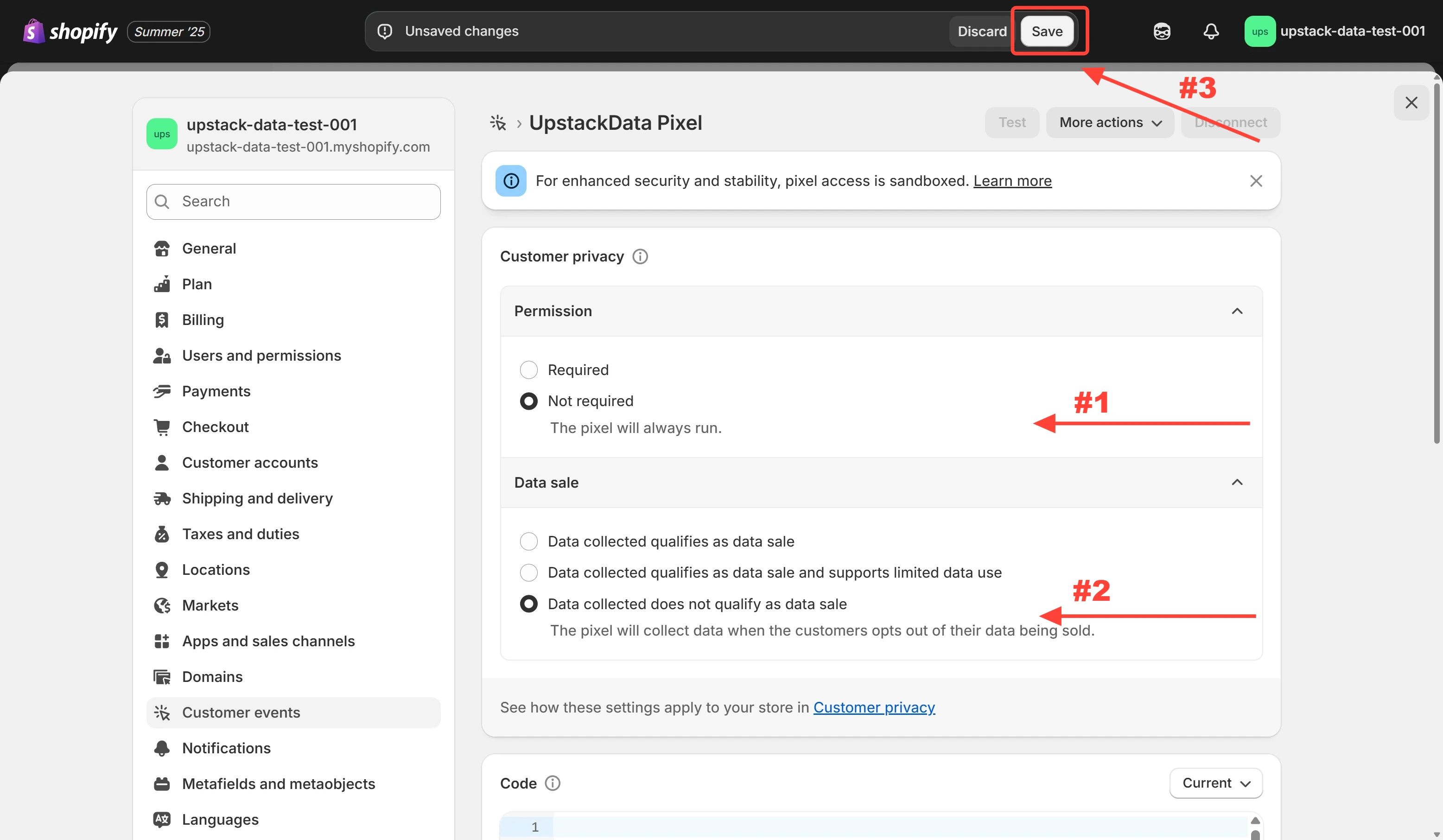
* For maximum attribution and data quality, you can select the following settings
* *Permission:* **Not required**
* *Data sale:* **Data collected does not qualify as data sale**
* Click **Save** to update the Upstack Data Pixel privacy settings
 **Upstack Data does not sell any data.** We are a privacy first solution and committed to adhering to the regulations for each jurisdiction.